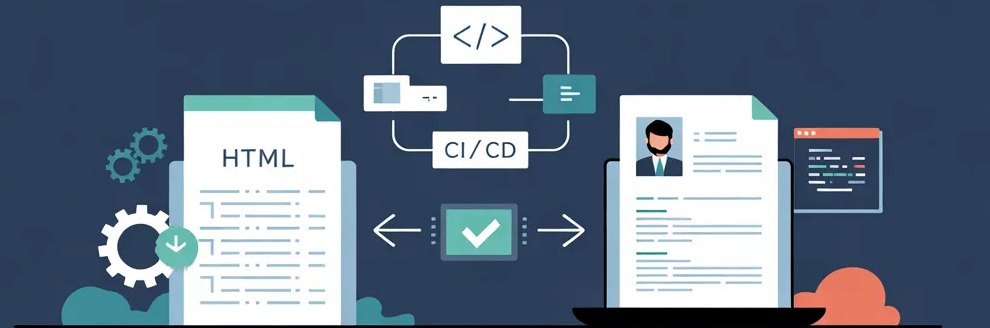
Building an ATS-friendly CV from an HTML template — a local and DevOps-driven project
Why I created cv-converter
This project started from the idea of turning my CV into an HTML template and automating the generation of PDF and DOCX versions using a DevOps approach.
I wanted a local, reproducible and version-controlled solution — something fully under my control — while taking the opportunity to build a clean workflow using tools I rely on daily: direnv, pre-commit, Terraform, GitHub…
The idea was simple:
- write my CV in HTML using a clean structure
- automatically generate PDF and DOCX versions
- ensure the output stays fully ATS-friendly
- automate everything with a DevOps-style workflow: Direnv, Pre-commit, Terraform, GitHub Actions…
cv-converter is the result of this mix between a personal need and the opportunity to build a fully local, reliable and reproducible tool.
A ready-to-use HTML template
The project includes a complete HTML template (FR + EN):
- classic sections: Skills, Experience, Education
- clean semantic structure (
<h1>,<h2>,<ul>,<p>) - simple, sober, ATS-friendly styling
- easy to customize
This template serves as the single source of truth for generating all CV formats.
Why write your CV in HTML?
Full flexibility
You control the layout and the styling.
Natural ATS compatibility
ATS systems parse structured HTML extremely well.
One source = multiple outputs
One HTML file → a synchronized PDF + DOCX.
The generated documents (PDF and DOCX) preserve the semantic text structure from the HTML template, ensuring full ATS compatibility. Nothing is converted to images: headings, lists, dates, sections and skills remain machine-readable.
Perfect for a DevOps workflow
- Git versioning
- automated pipelines
- reproducible environments
- easy local-first development
Automatic PDF + DOCX generation
The converter uses:
- WeasyPrint to create a clean PDF
- python-docx to generate a structured DOCX
- BeautifulSoup4 to parse the HTML
Example:
python cv_converter.py CV-template-en.htmlOutput:
output/my_cv.pdf and output/my_cv.docx.
A project built as a DevOps playground
This project also became a small DevOps lab where I integrated:
- Direnv for Python environment isolation
- Pre-commit for quality (Black, Ruff, MyPy, TFLint, Tfsec…)
- Terraform to automatically manage the GitHub repository
- A reproducible, portable, fully local workflow
This CV generator is both a personal tool… and a DevOps discipline exercise.
The role of vibecoding in this project
The Python conversion script was largely generated using Claude Code. The HTML parsing logic with BeautifulSoup, the PDF generation with WeasyPrint, the structured DOCX creation with python-docx — all of it was built through conversation: I described the expected output, Claude produced the code, I tested the result against my templates and iterated. Vibecoding was particularly useful for the DOCX part, where mapping HTML structure to Word styles is tedious to write by hand. On the other hand, the project’s DevOps architecture (direnv, pre-commit, Terraform) reflects my own practices — it’s the combination of both that makes this project interesting.
The project
Available here: https://github.com/TiPunchLabs/cv-converter